Apps
Home > Apps
Biscuit Manager App
Biscuit Manager is the companion app that serves as the complete user interface for your Biscuit device. Since Biscuit hardware is headless (no screen), the app provides all controls, displays, and configuration.
The app is available on both iOS and Android with full feature parity – every scanning mode, attack, and tool works identically on both platforms.
Download
| Platform | Requirements | Download |
|---|---|---|
| iOS | iOS 26.0+ | App Store |
| Android | Android 10 (API 29)+ | Google Play |
What the App Does
- Controls your device – start/stop scans, configure attacks, manage settings
- Displays results – real-time scan data, device lists, statistics, and maps
- Manages data – wardriving sessions, EAPOL captures, PCAP exports, credential logs
- Handles updates – firmware updates for your device and any connected Nodes
- Tracks operations – background monitoring so you can keep scanning while using other apps
App Layout
The app has 5 main tabs:
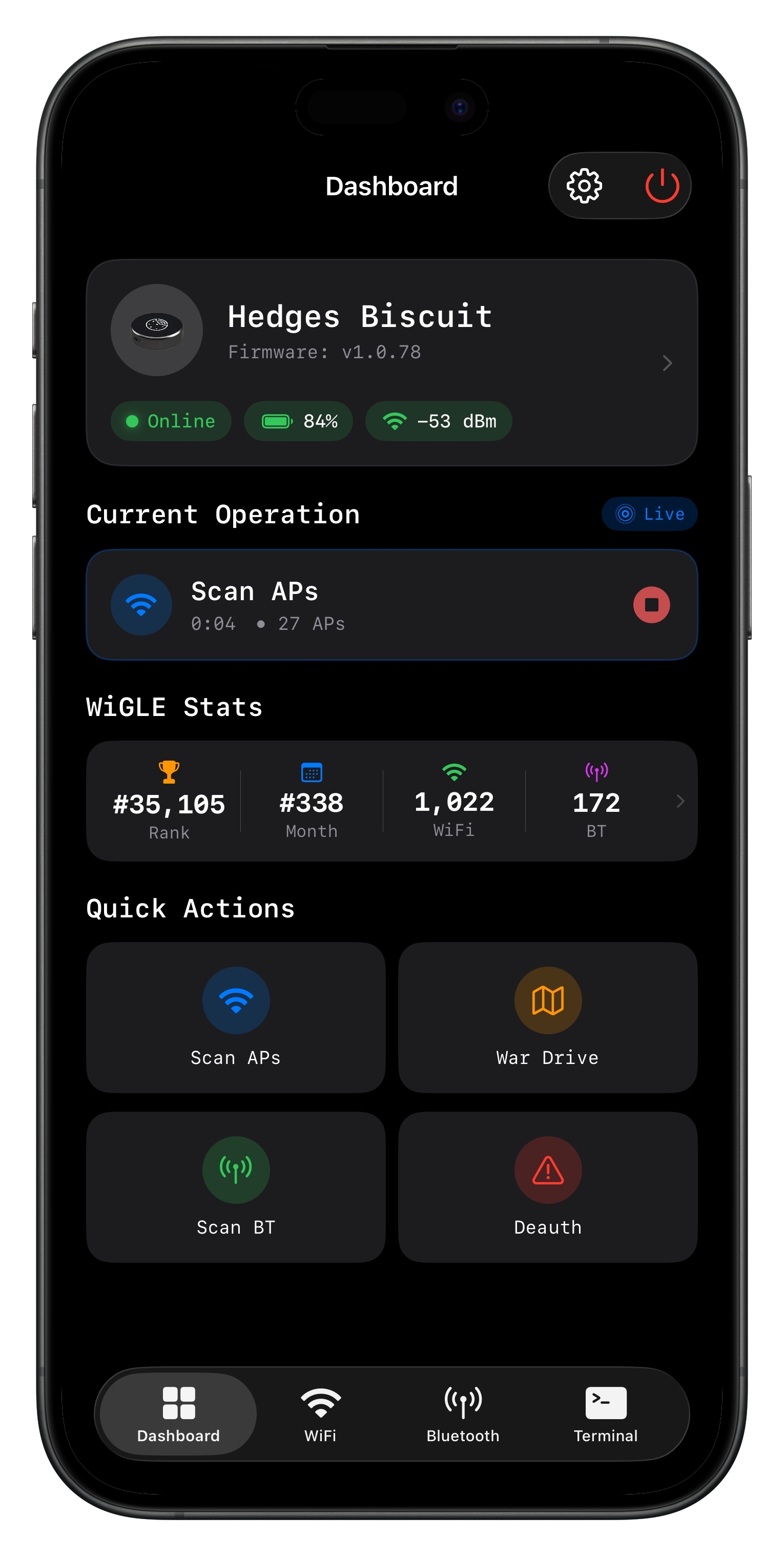
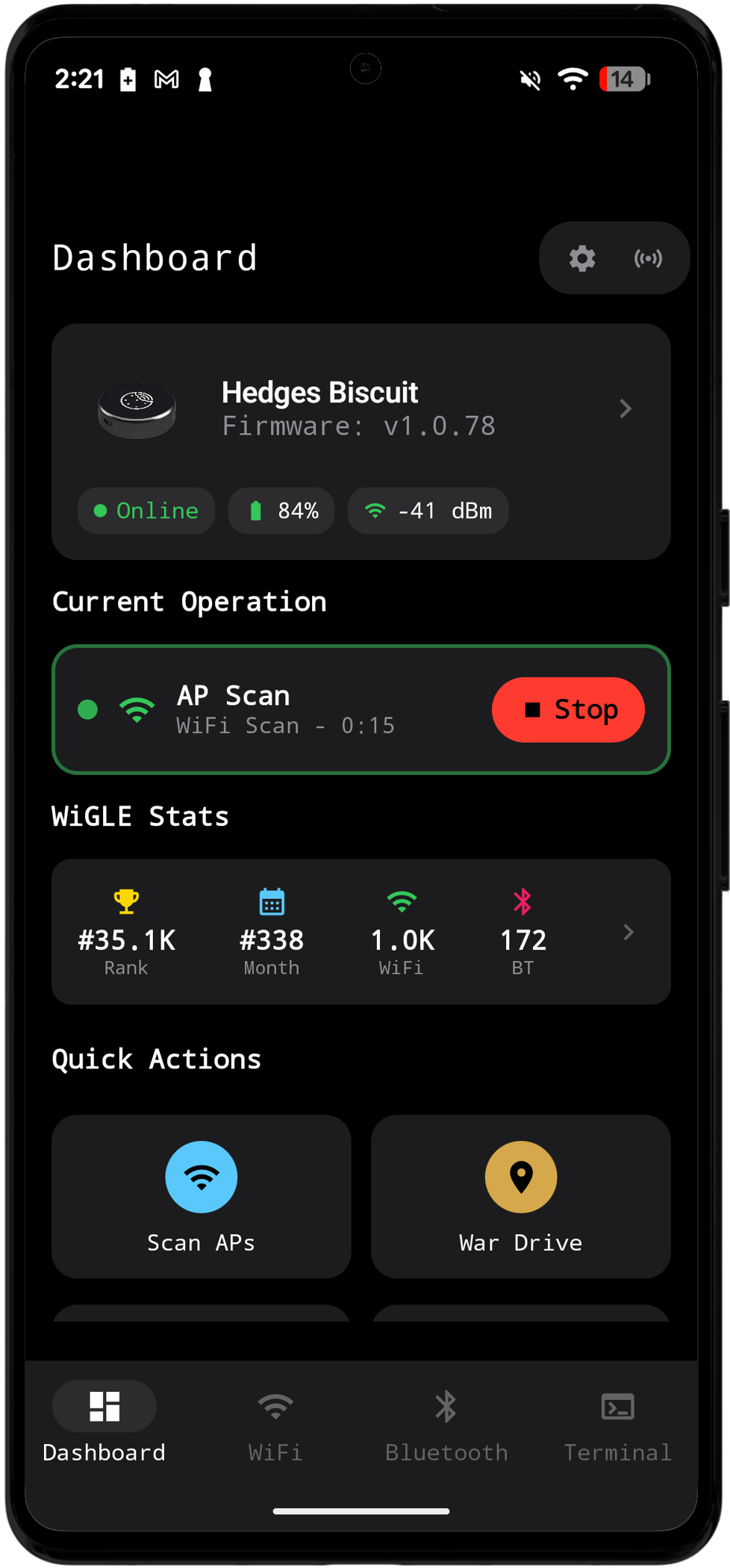
- Dashboard – Device status, battery level, firmware info, quick actions, and wardrive stats
- Wardrive – Unified wardriving with GPS mapping and session history
- WiFi Tools – Three sub-tabs: Sniffing (scanning modes), Attacks, and Network Scanners
- Bluetooth – Two sub-tabs: Scanning/Detection and Attacks
- Terminal – Raw message log showing all communication with the device
The Dashboard can show up to eight Quick Actions in a two-column grid. Tap Edit (Android) or the pencil icon (iOS) to add, remove, and drag actions into your preferred order.
While a scan, attack, or wardrive is running, tap its Current Operation card to return to the live operation screen. Use the separate Stop control when you want to end it.
Platform-Specific Details
While the feature set is identical, each platform has some differences in how background operations work:
- iOS App Details – Live Activities for lock screen monitoring
- Android App Details – Foreground Service for background operation
Screenshots